

What’s on this page:
- When to use a lookup table to define variable values
- How to set up the lookup table file
- How to set up variables based on a lookup table
- Troubleshooting
When to use a lookup table to define variable values
Lookup tables can be useful to define embedded variable values when there are many possible values, and manually creating the rules for each would ordinarily be time consuming. A common use is geography: you can ask respondents to enter their ZIP code, and then assign matching regions, states, or cities based on a ZIP code mapping.How to set up the lookup table file
1. Add the question that collects the value. The lookup table matches against an answer given earlier in the survey, so that question has to exist first and sit ahead of the embedded variable in the survey flow. 2. Prepare your file. Your file must contain at least two columns:- Value to match: possible answers to the source question, one row per value
- Assigned value: what SightX should assign when that value is entered
- The file must be in CSV or XLSX format
- Include a header row; the column names don’t matter, but you’ll use them to identify the columns after upload.
- Values have to match what respondents actually enter in the source question. Watch out for ZIP codes with leading zeros, which Excel drops unless the column is formatted as text.
- The value to match column should not contain duplicates.
Set up the lookup table
Step 1. Add an embedded variable to your survey build Step 2. Select the Lookup table method and choose source question Under Define values, switch from Manual rules to Lookup table.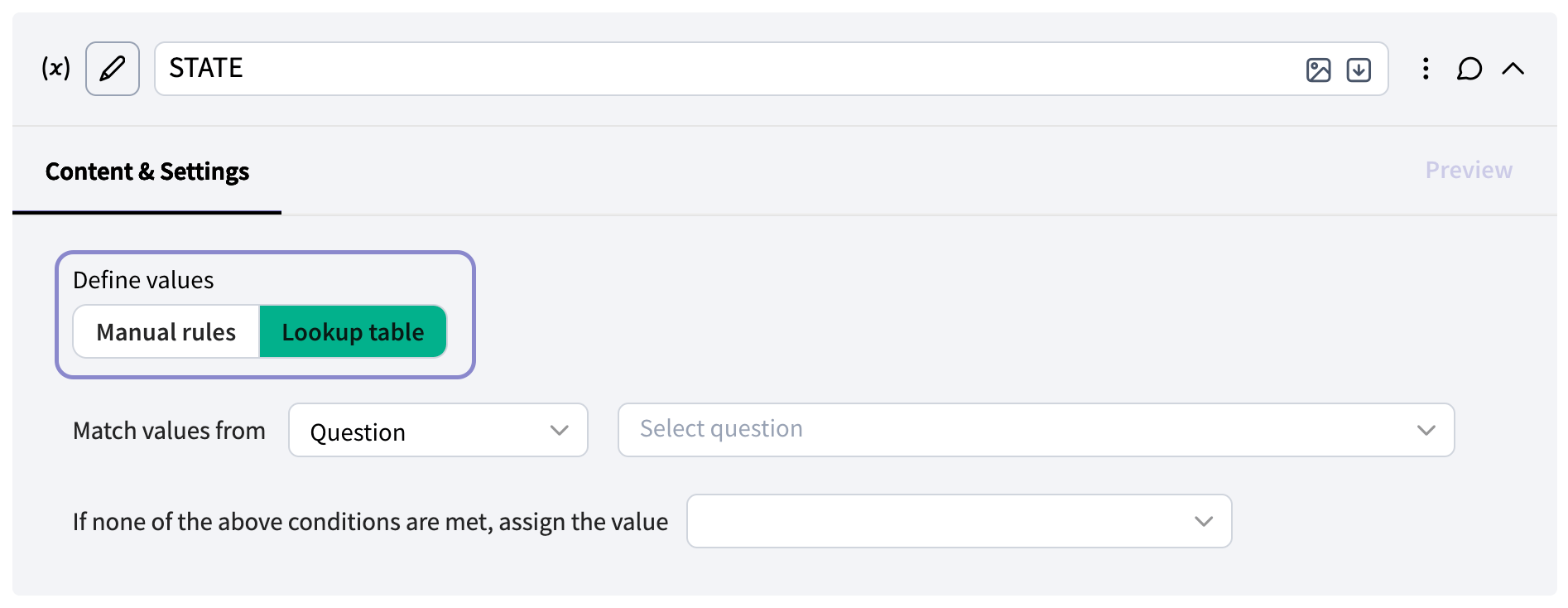
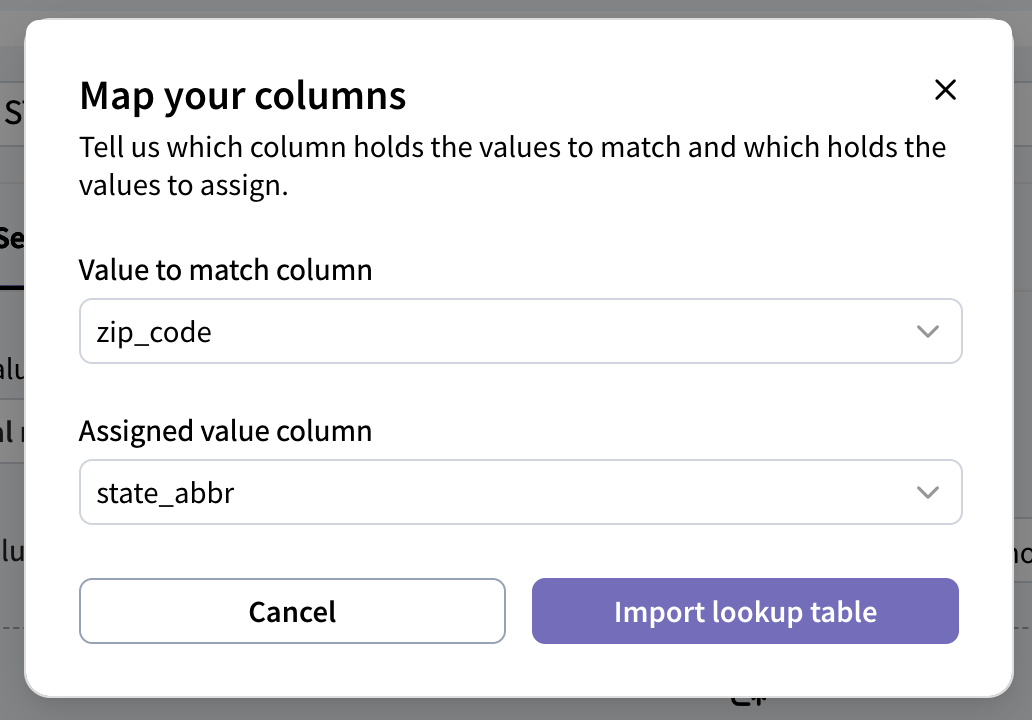
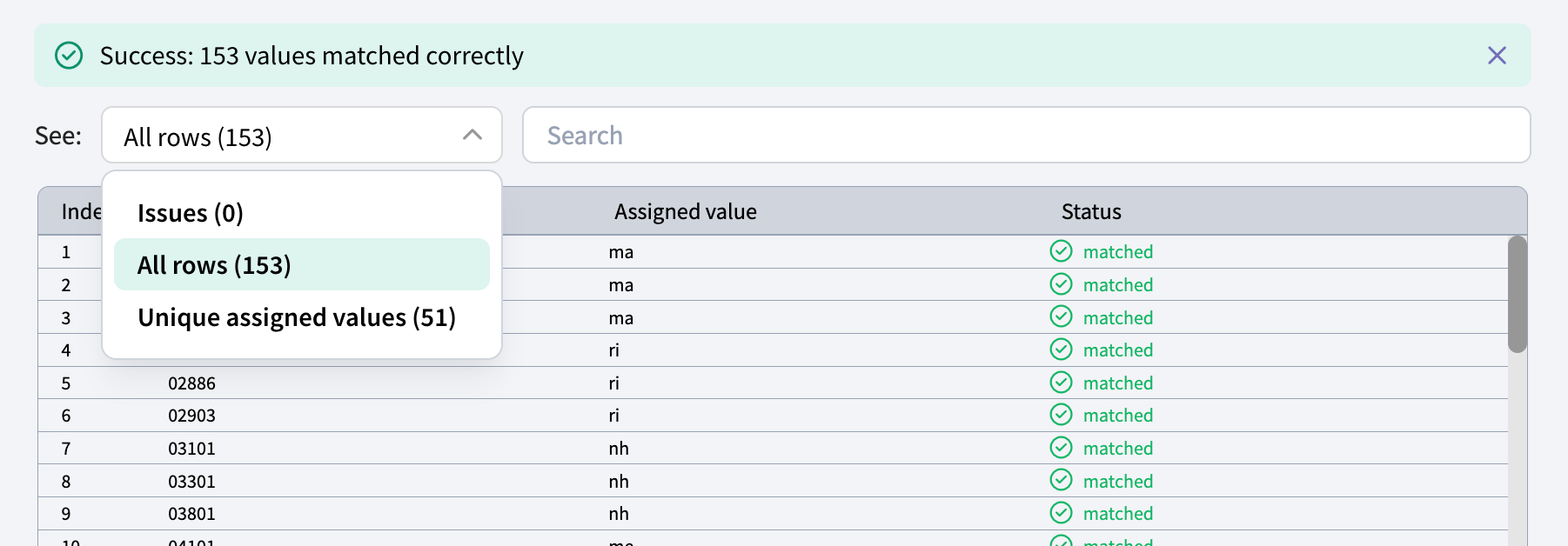
- Issues: rows that could not be imported or matched. Aim for zero here.
- All rows: every row in the file with its assigned value and status. Use the search box to spot check individual values.
- Unique assigned values: each distinct value your table assigns, with a count of how many rows map to it. This is a quick way to confirm your groupings look right, for example four regions rather than five because of a typo.
None or Unknown.