What’s on this page:
- What are Quotas?
- Setting Up Quotas
- Setting Up Nested Quotas
What are Quotas?
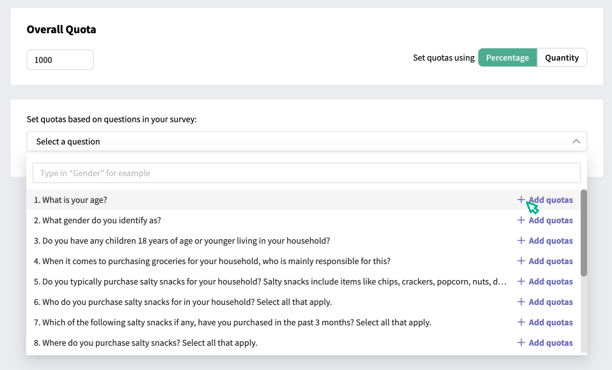
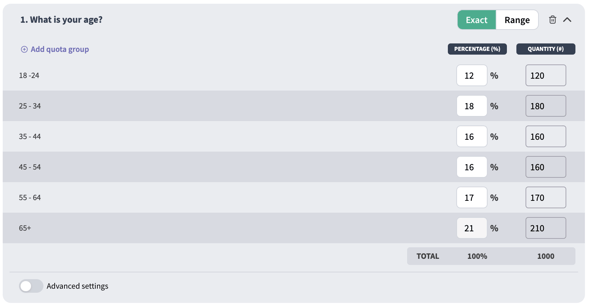
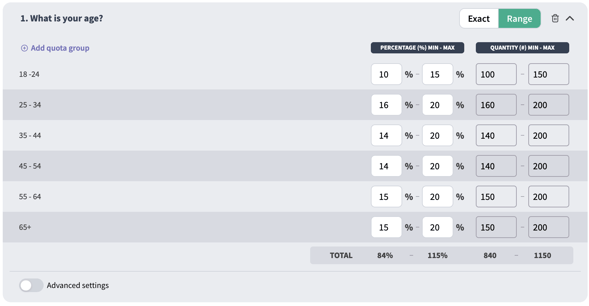
Quotas are limits on the number of respondents you want to participate in your survey. You can set a quota for an entire survey - for example, an overall quota of 1000 would limit your survey to 1000 respondents - or you can set quotas on the number of respondents you want from various demographic groups. For example, a quota of 500 females and a quota of 500 males would limit your survey to 500 female participants and 500 male participants. You can create quotas on any single-select multiple choice question in your survey to ensure you’re receiving a balanced sample of your desired audience.Setting Up Quotas
To set up quotas on your survey, navigate to the Distribute module in SightX, and select or create a campaign. Click here to learn more about creating campaigns. Once you’ve navigated to the campaign, click on the Quotas tab in the left menu. Set an Overall Quota First, set the Overall Quota for your campaign. This is the total number of respondents who you want to participate in your survey as part of this campaign. In the example below, once 1000 respondents have completed the survey, no additional respondents will be allowed to participate in the survey unless the quota is increased.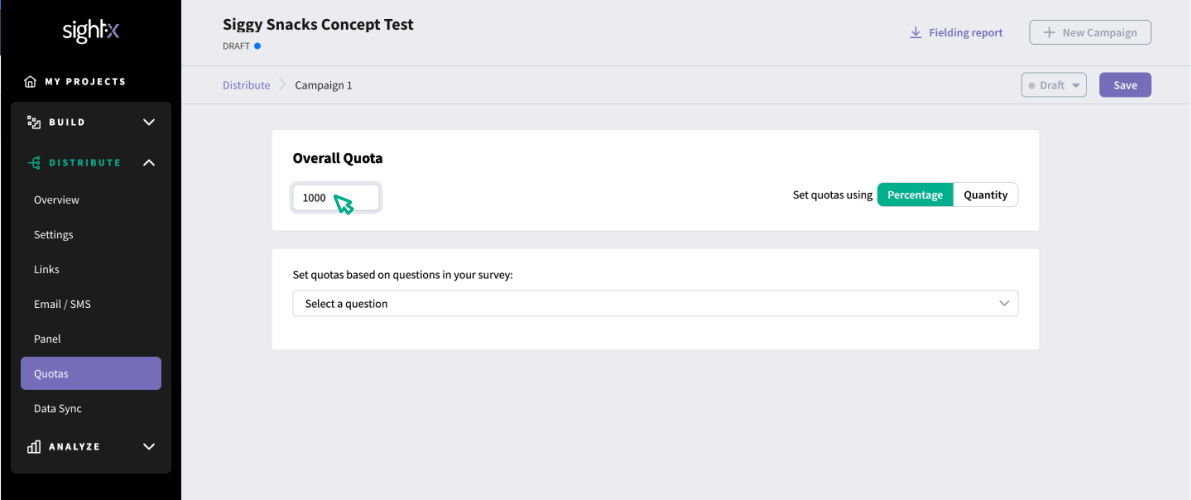
Setting Up Nested Quotas
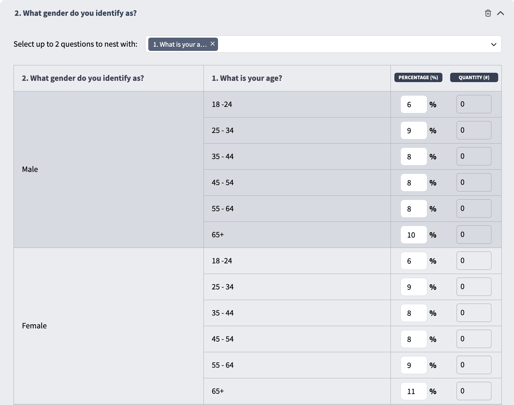
If you want even more control over demographic balancing in your survey, you can set nested quotas, which allow for criteria from up to three questions to be used to build a quota. In the dropdown, select the question(s) you want to nest with your original question. Then, populate the percentage or quantity quotas for each nested group in the quotas column.