- What is Significance Testing?
- Types of Significance Testing Used by SightX
- Chi Square
- Analysis of Variance (ANOVA)
- How to Use Significance Testing in SightX
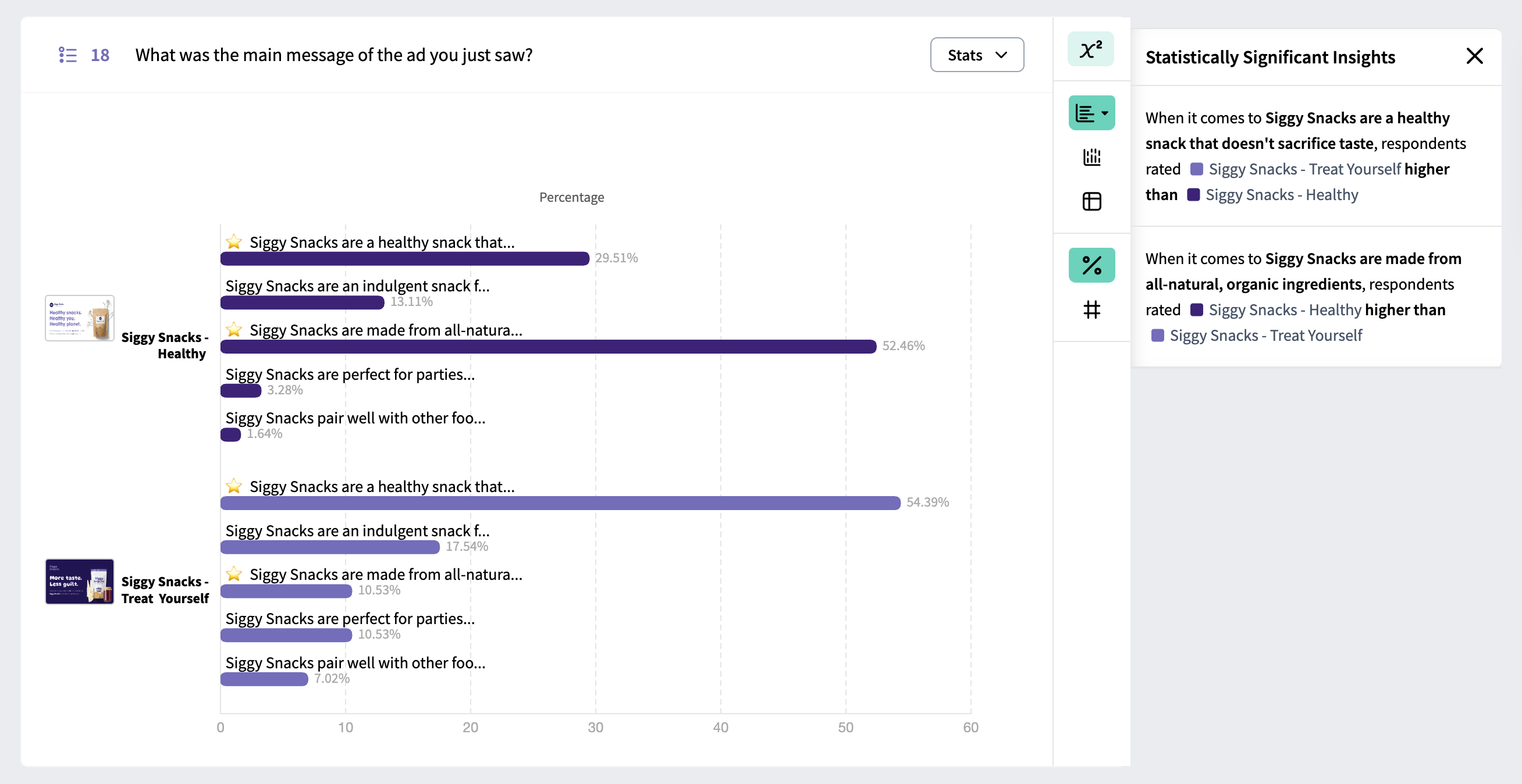
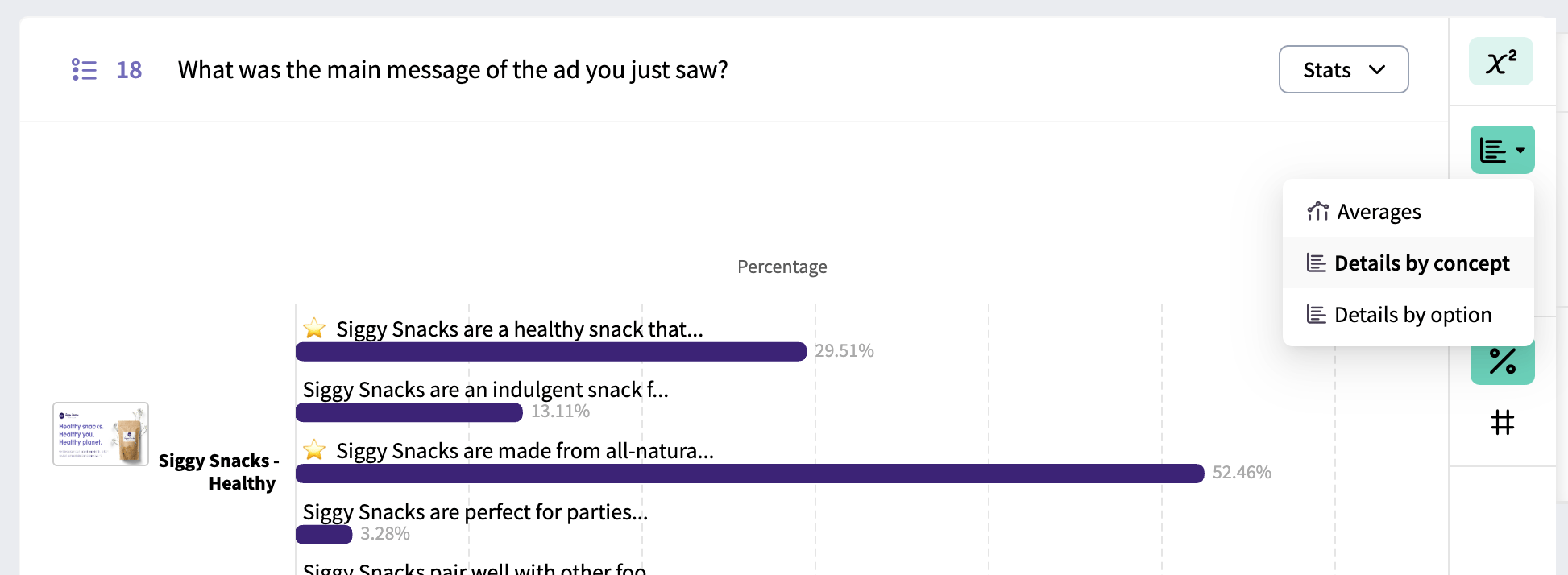
- Significance Testing on Concept Test Data
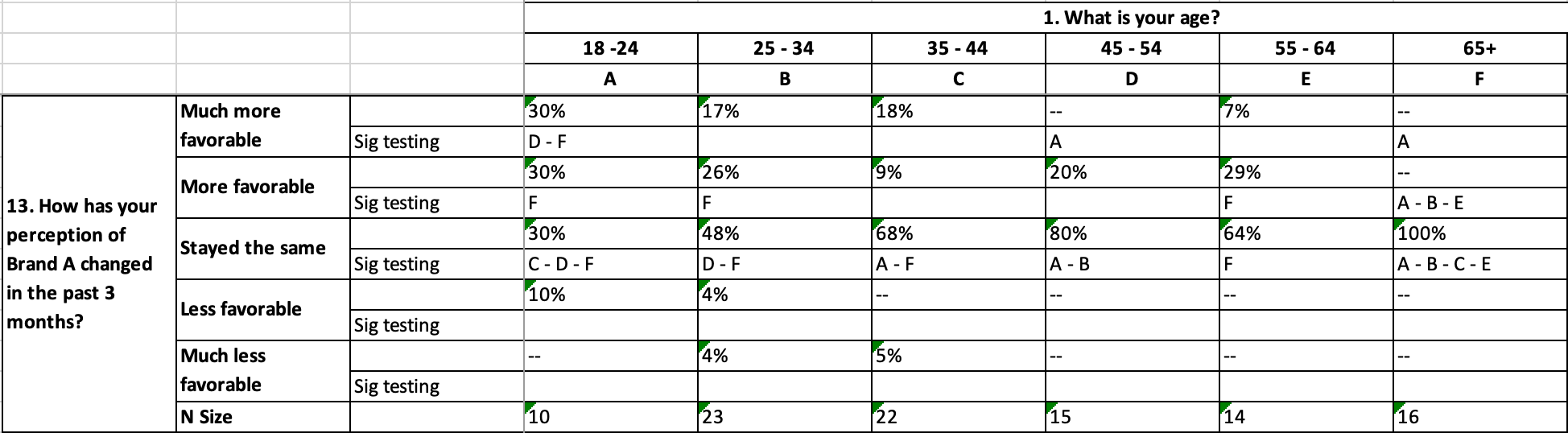
- Significance Testing in Crosstabs
- Confidence Level
- P-values
What is Significance Testing?
Significance testing is utilized when analyzing data to determine whether the observed difference in results between groups is beyond any statistical chance. It is typically recommended to use significance testing in SightX when you need to gain more confidence about score differences among audiences, products, or groups. For example, let’s say you’ve presented respondents with two potential ads for a new product you’re releasing, and you asked them their likelihood of purchasing those two products on a one to five scale. Let’s assume 64% of respondents say they would be “Likely” or “Extremely likely” to buy the product after seeing ad #1, while 72% of respondents say the same after seeing ad #2. You can use significance testing to determine whether the 8% preference for ad #2 is meaningful.Types of Significance Testing Used by SightX
While there are a variety of significance tests that can be applied, SightX significant testing relies on two widely used techniques: Chi Square (for testing differences in proportions/percentile breakdown), and Analysis of Variance (aka ANOVA, for testing the differences among mean scores). Chi Square Chi Square significance tests examine if the observed frequencies in a dataset are different from the expected frequencies. The test is often used when a researcher is comparing the frequencies of various sub groups within a variable or across variables of categorical nature. Analysis of Variance (ANOVA) The ANOVA significance test technique is used when a researcher is interested in testing the differences among two or more mean scores of groups.How to Use Significance Testing in SightX
Significance Testing on Concept Test Data
In the Concept Test dashboard, open the analysis toolbox and select the Significance Testing icon. Click “Apply” in the toolbox to apply Significance Testing to the dashboard.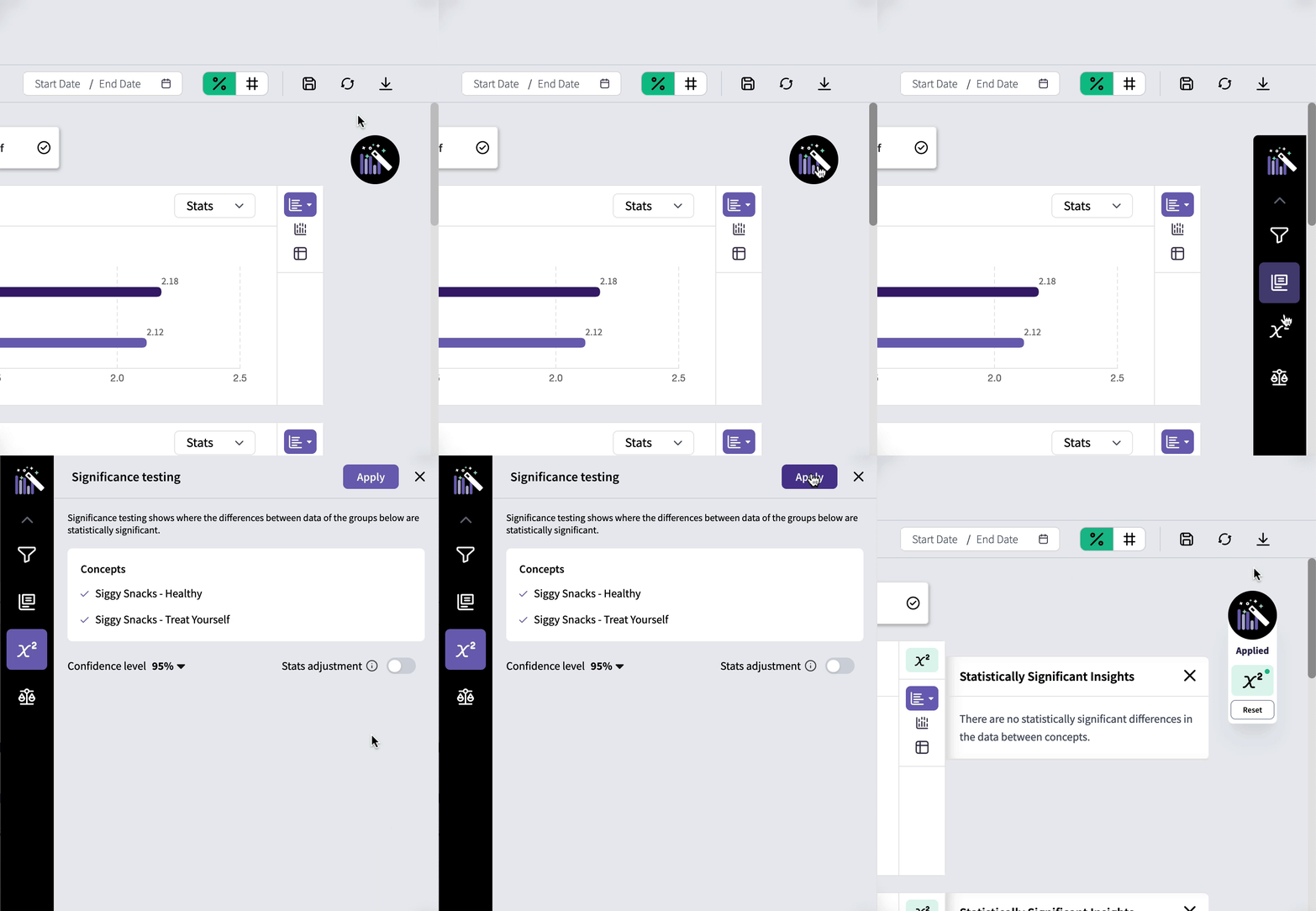
Significance Testing in Crosstabs
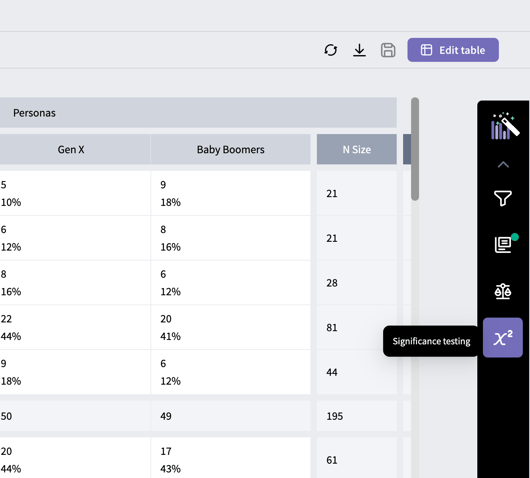
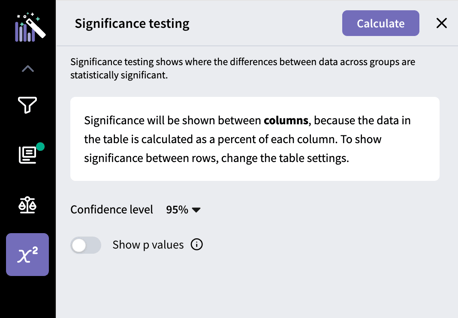
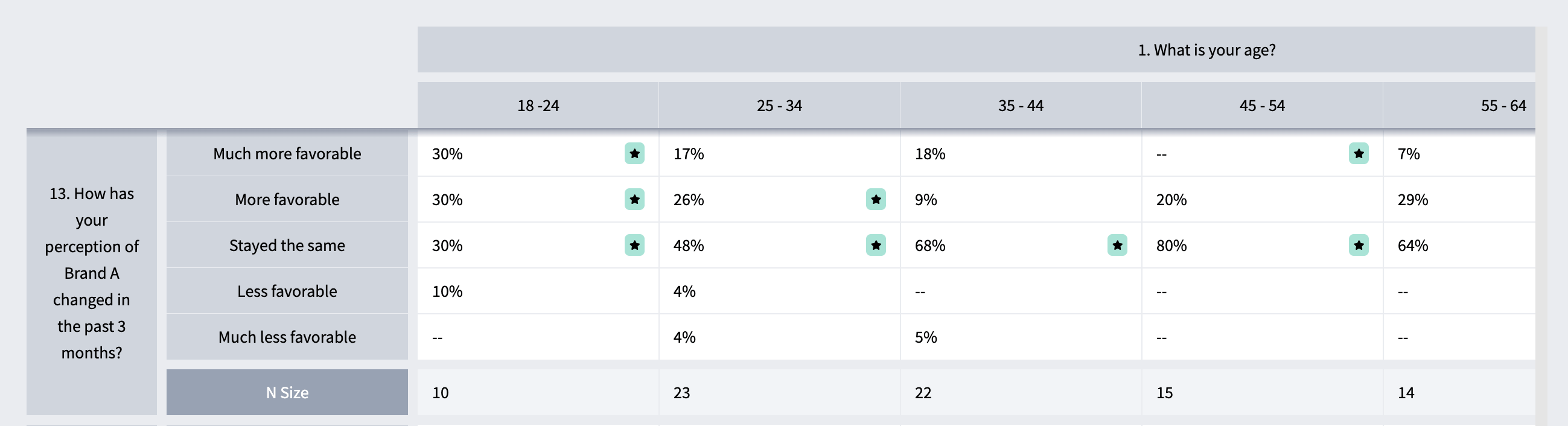
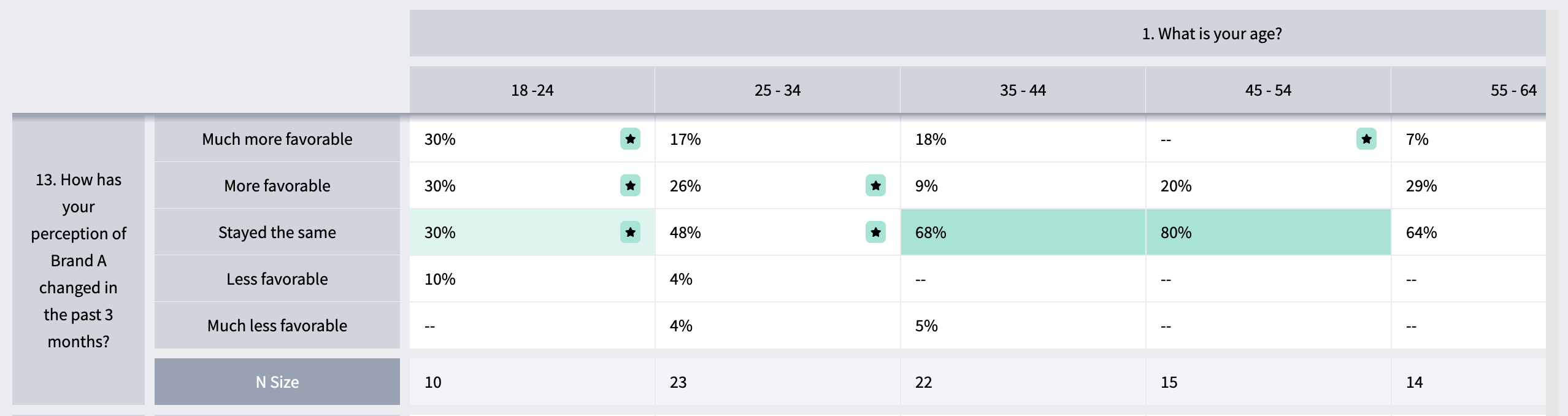
In the Crosstabs tab, generate a table with the groups you want to compare between in either the columns or the rows. Next, open the toolbox on the right side of the page and select the “Significance testing” icon.