
Authorization header. Tokens are obtained by signing a JWT with your RSA private key and exchanging it at the authentication endpoint.
Overview
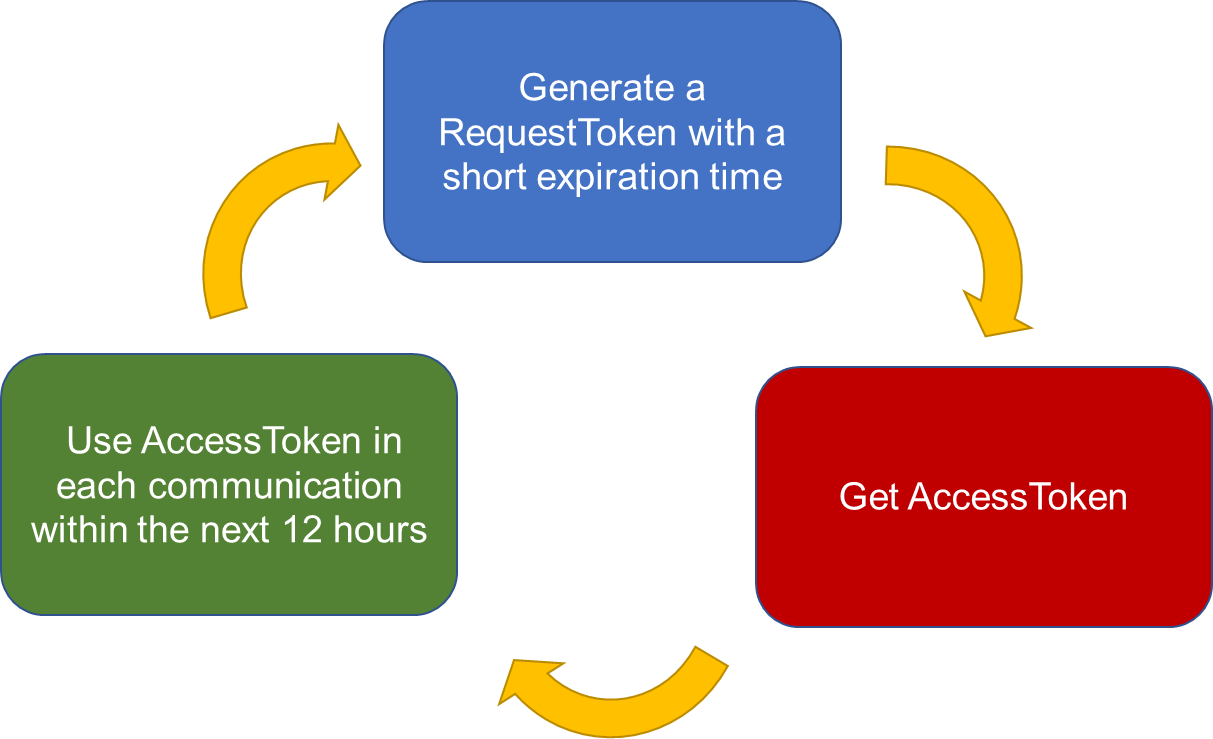
Access tokens last 12 hours. Your integration should refresh tokens before they expire rather than re-authenticating on every call. The authentication flow has two steps:- Generate a signed JWT using your client ID and RSA private key.
- Exchange the JWT for an access token at the
m2m-tokenendpoint.
Recommended flow
Step 1: Generate a signed JWT
JWT contents
Each JWT has three parts: header, payload, and signature.Header
Payload
See JWT Data for claim details. For background on reserved claims, see RFC 7519 §4.1.
Signature
Code examples
These snippets are examples only. Use libraries from jwt.io/libraries and your own key pair in production.Step 2: Exchange JWT for access token
POST your signed JWT to the authentication endpoint:Request Access Token
Exchange a signed JWT for a 12-hour access token.
Making authenticated requests
Pass the returned token directly in theAuthorization header. No Bearer prefix is required.
Security best practices
Key hygiene
- Generate a dedicated key pair for API access — do not reuse SSH keys from other systems
- Store your private key in a secrets manager (AWS Secrets Manager, HashiCorp Vault, Azure Key Vault)
- Never commit private keys to source control
Token management
- Track token expiration — tokens are valid for 12 hours
- Refresh proactively before expiry rather than waiting for 401 responses
- Use the optional
jticlaim to differentiate concurrent token requests and avoid duplicate-request lockouts
Projects ownership
When a project is created via the API, its owner is the service account. Add members explicitly via the resources mappings endpoint if others need access.Next steps
Generate Keys
Create your RSA key pair.
JWT Data
Required claim values and examples.