> ## Documentation Index
> Fetch the complete documentation index at: https://docs.repdata.com/llms.txt
> Use this file to discover all available pages before exploring further.
# JWT Data
> Required JWT claims for requesting a SightX API access token.
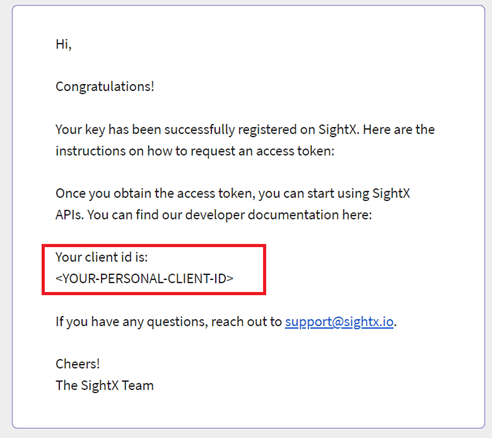
To request an access token you need a **client ID** and your **private key**. You should receive your client ID by email after uploading your public key.
 ## Setting the claims
The JWT payload requires four claims (`iss`, `sub`, `aud`, `exp`) and one optional claim (`jti`).
### Issuer (`iss`)
Identifies who is making the request. Use your client ID.
```json theme={null}
"iss": ""
```
### Subject (`sub`)
Identifies who the access token should be assigned to. Use your client ID.
```json theme={null}
"sub": ""
```
### Audience (`aud`)
Always set this to `m2m-token`.
```json theme={null}
"aud": "m2m-token"
```
### Expiration (`exp`)
Unix timestamp (seconds) for when the JWT expires. Set expiration between 30 and 300 seconds in the future, otherwise the token may be rejected.
```json theme={null}
"exp": 1637868471
```
### JWT ID (`jti`) — optional
Unique identifier for the token. Use this to differentiate concurrent token requests and avoid duplicate-request lockouts.
```json theme={null}
"jti": ""
```
## Next step
Exchange the signed JWT for an access token on the [Request Access Token](/sightx/endpoints/post-v1-m2m-token) endpoint.
## Setting the claims
The JWT payload requires four claims (`iss`, `sub`, `aud`, `exp`) and one optional claim (`jti`).
### Issuer (`iss`)
Identifies who is making the request. Use your client ID.
```json theme={null}
"iss": ""
```
### Subject (`sub`)
Identifies who the access token should be assigned to. Use your client ID.
```json theme={null}
"sub": ""
```
### Audience (`aud`)
Always set this to `m2m-token`.
```json theme={null}
"aud": "m2m-token"
```
### Expiration (`exp`)
Unix timestamp (seconds) for when the JWT expires. Set expiration between 30 and 300 seconds in the future, otherwise the token may be rejected.
```json theme={null}
"exp": 1637868471
```
### JWT ID (`jti`) — optional
Unique identifier for the token. Use this to differentiate concurrent token requests and avoid duplicate-request lockouts.
```json theme={null}
"jti": ""
```
## Next step
Exchange the signed JWT for an access token on the [Request Access Token](/sightx/endpoints/post-v1-m2m-token) endpoint.